
Find B2B emails from social media in seconds
Turn the profiles you already browse into a verified pipeline. The Govarova extension extracts business emails as you research — no copy-paste, no guesswork.
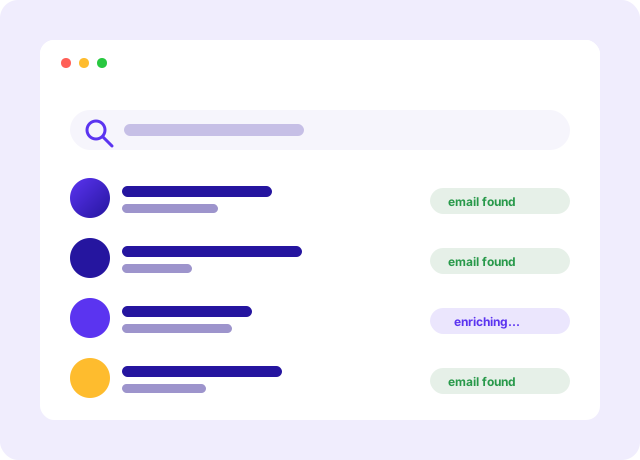
Extract emails without leaving the page
Open a profile or a company page, click the icon, and Govarova works out the business email and verifies it before it is offered to you — without the copy-paste detour into another tab. One contact per click, on the page in front of you.
- One-click capture from any profile
- Verified before it reaches your list, not after
- No access to any page until you click it
Only the decision-makers, not the noise
Govarova's AI reads titles, seniority, and company signals so your list fills with the people who can actually say yes. Skip the interns and reach the buyers.
- Seniority and role targeting
- Company size and industry filters
- Automatic duplicate removal
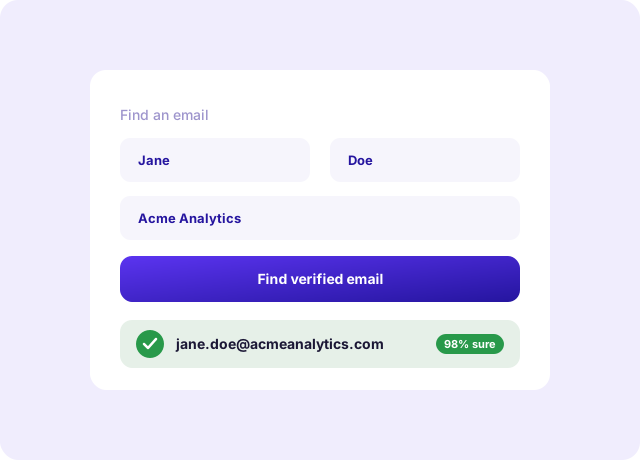
Export where your workflow lives
Push captured leads into your CRM, a spreadsheet, or a Govarova email sequence in one click — complete with verified emails, job titles, and company data.
- Native CRM and CSV export
- Send to a sequence instantly
- Enriched fields included

Everything the Extension gives you
- One-click captureGrab emails from any profile without breaking flow.
- One contact per clickNo bulk collection, by design — so nothing you do here breaks a platform’s terms.
- Real-time verificationDeliverable emails only, checked as you capture.
- AI role targetingFocus on decision-makers automatically.
- Auto-enrichmentTitles, departments, and company data appended.
- Duplicate detectionKeep every list clean and unique.
- One-click exportCRM, CSV, or a sequence in a single tap.
- Privacy-firstCompliant handling of the data you collect.
Three steps, then it runs itself
No implementation project, no onboarding call you have to sit through.
- 1
Install and pin it
Add the extension to Chrome and pin it to the toolbar. There is nothing to configure and no CSV to prepare.
- 2
Browse like you always do
Open a LinkedIn profile, a company page, or a search result. The extension reads the page you are already looking at.
- 3
Click once to capture
The verified email lands in your list, enriched with the job title and company, ready to sequence.
Built for the way you actually work
Founders selling their own product
You are the SDR. Prospecting has to fit into the gaps between everything else, and a tab you already have open is where it fits.
SDR teams working a named-account list
Your reps live on LinkedIn. Capturing the contact without leaving the tab removes the copy-paste step that quietly eats their morning.
Recruiters sourcing candidates
The same profile page, the same one-click capture — except the pipeline you are filling is a shortlist rather than a deal list.
The numbers that matter
What you are actually replacing
The left column is how most teams do this today. It works — it just costs a person a week.
| Job to be done | By hand | Govarova Extension |
|---|---|---|
| Getting the email address | Guess the pattern, then hope | Returned and verified |
| Job title and company | Copy and paste it by hand | |
| Checking it is deliverable | A separate tool, later | |
| Getting it into a sequence | Export, reformat, import | |
| Time per contact | Two to three minutes | A second |
Prove it with a free tool first
No account, no card. These run in your browser and use the same logic as the product.
Questions about the Extension
Built to help you win more deals
Accurate data, one connected platform, and a team that has your back.
Accuracy you can trust
Real-time verification and AI cross-checking keep your data clean, current, and deliverable.
One connected platform
Find, enrich, verify, and reach out — without juggling a dozen disconnected tools or CSV exports.
Live in minutes
No lengthy onboarding. Start free, connect your workflow, and see results the same day.
Start capturing leads today
Add the Govarova extension free and turn every profile you visit into a verified opportunity.
Register & Start