
A new mailbox cannot send cold email on day one
Send from a brand new address at volume and it lands in spam, or gets the domain blocked. Warm Up builds the sending history first, a little at a time, on the mailbox you are going to use. Rolling out now — tell us your mailbox and we will turn it on for you.
It warms the address you will actually send from
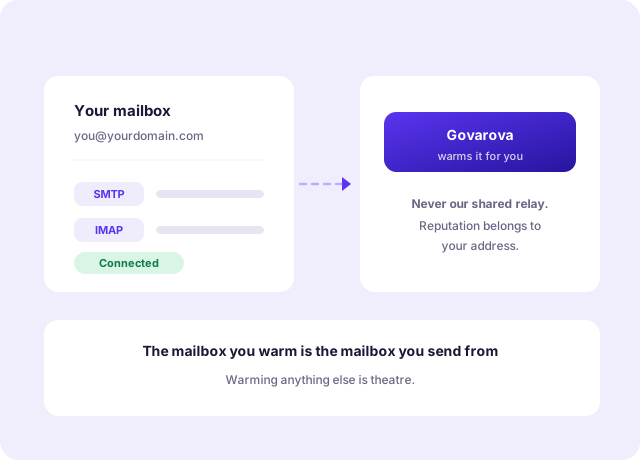
Reputation attaches to the sending mailbox and its domain, so warming anything else is theatre. You connect your own mailbox over SMTP and IMAP, and that is the one that gets the history.
- Your own mailbox, over your own SMTP and IMAP
- Never our shared relay — that would build our reputation, not yours
- Disconnect whenever you like; nothing is left behind
Volume rises slowly, the way a real mailbox does
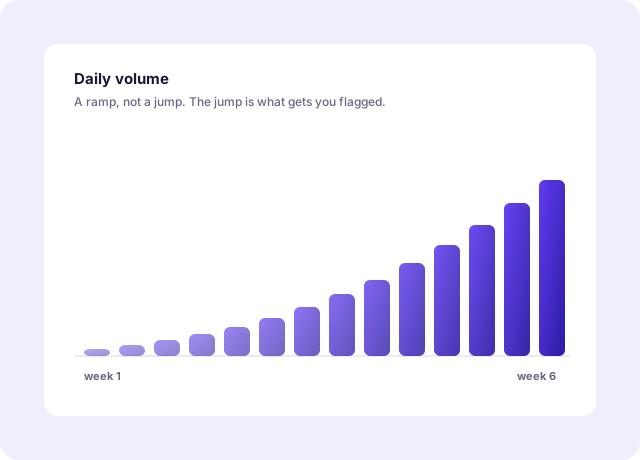
A handful of messages on the first day, a few more the next. The pattern that gets a mailbox flagged is not the total, it is the jump — nothing, then hundreds.
- A gradual daily ramp rather than a fixed schedule
- Messages are opened and replied to, so they read as conversation
- Pause it at any point without losing the history
Only its own messages, ever
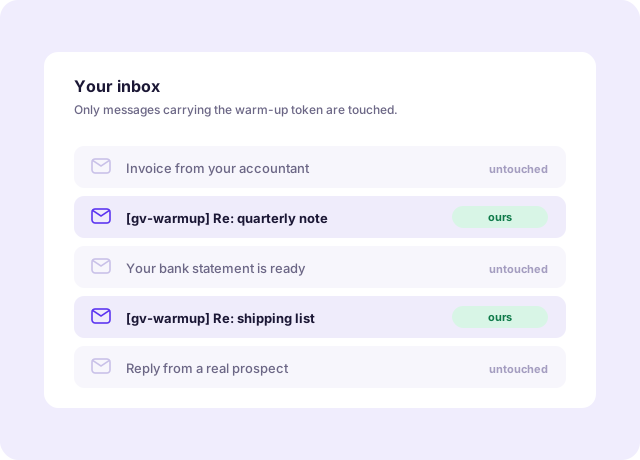
Warm-up mail carries a token, and the software will only read, reply to or move a message carrying that token. Your real mail is not read, not marked, not moved.
- Only tokened warm-up messages are touched
- Your inbox is never scanned for anything else
- A clear record of what it sent and when
Everything Email Warm Up gives you
- Your own mailboxConnected over SMTP and IMAP, never a shared relay.
- Gradual rampThe jump is what gets you flagged, not the total.
- Replies, not just sendsA conversation looks different from a broadcast.
- Tokened messages onlyNothing else in your inbox is read or moved.
- Pause and resumeWithout losing the history you have built.
- Runs alongside OutreachWarm the mailbox you are about to send campaigns from.
Three steps, then it runs itself
No implementation project, no onboarding call you have to sit through.
- 1
Connect the mailbox you will send from
Reputation attaches to the sending address and its domain, so warming anything else is theatre. Your own SMTP and IMAP, never our shared relay.
- 2
Let the volume rise slowly
A handful of messages on the first day, a few more the next. What gets a mailbox flagged is not the total, it is the jump from nothing to hundreds.
- 3
Send the real campaign into a warm inbox
Weeks later the address has a history of sent mail that got opened and answered, which is what a filter is looking for.
Built for the way you actually work
A brand new sending domain
Bought last week, no history at all. This is the case warm-up exists for.
A domain that got burned
Someone sent too much too fast. Rebuilding is slower than starting clean, and it does not happen on its own.
A mailbox that has been quiet
Reputation decays. An address that sent nothing for a year is closer to new than to established.
The numbers that matter
What you are actually replacing
The left column is how most teams do this today. It works — it just costs a person a week.
| Job to be done | By hand | Email Warm Up |
|---|---|---|
| Building sending history | Emailing colleagues and hoping | A managed daily ramp |
| Getting replies, not just sends | Asking people to reply as a favour | |
| Knowing where you stand | Guessing from bounce rates | A record of what was sent and answered |
| Your ordinary mail | Some tools read the whole inbox | Only tokened messages are touched |
| Stopping | Disconnect and lose the record | Pause and resume |
Prove it with a free tool first
No account, no card. These run in your browser and use the same logic as the product.
Questions about Email Warm Up
Built to help you win more deals
Accurate data, one connected platform, and a team that has your back.
Accuracy you can trust
Real-time verification and AI cross-checking keep your data clean, current, and deliverable.
One connected platform
Find, enrich, verify, and reach out — without juggling a dozen disconnected tools or CSV exports.
Live in minutes
No lengthy onboarding. Start free, connect your workflow, and see results the same day.
Get on the list for Warm Up
Create your account and we will tell you the day it is available on your mailbox.
Register & Start